|
Backup |

  
|
|
Backup |
|
|
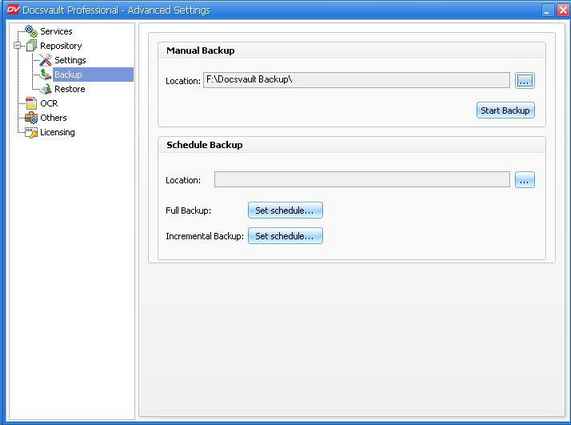
Even the most reliable computer is subject to break down eventually. All professionals recommend that you take backup of all your files. For this very reason Docsvault includes various options for backing up your data including automatic backups. You can schedule a backup so that it will run unattended at a specific time or frequency. The backup storage medium can be a logical drive such as your hard drive, a separate storage device such as a external removable hard disk or a network storage device or share. Backup and Restore can only be taken/setup from the Tools > Advanced Settings.
There are two ways to take backups in Docsvault:
Manual Backup Docsvault will backup the repository on the selected location. For more information see Manual Backup
Automatic Backup Docsvault Scheduled Backup utility will automatically perform backups of your repository as per the set schedules. For more information see Automatic Backup
Page url: http://www.docsvault.com/online-help/professional/index.html?backup.html |