|
Repository Settings |

  
|
|
Repository Settings |
|
|
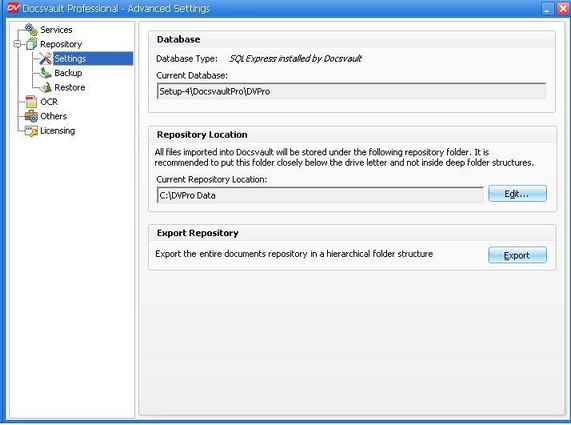
Repository refers to a central place where all your documents and meta data are stored within Docsvault. Repository Options
Database This field displays the current database used by Docsvault. If you wish to connect to another Docsvault database, you can do so by clicking on the Edit button.
Repository Location This option can be used in case you run out of hard drive space or simply wish to move your data to a new location. If you are in a domain based network, you may put the repository folder on a network share of a NAS device. However make sure to specify correct username and password for a domain user who has write access to the network location. This is essential and Docsvault will not work if this configuration is not right.
Export Repository You can directly export the entire documents repository to any local or network location. Unlike data backup, the Export Repository feature allows you to make a direct one-to-one copy of the document database with original file and folder names while still retaining the hierarchical folder structure.
Page url: http://www.docsvault.com/online-help/professional/index.html?repositorysettings.html |