|
Services |

  
|
|
Services |
|
|
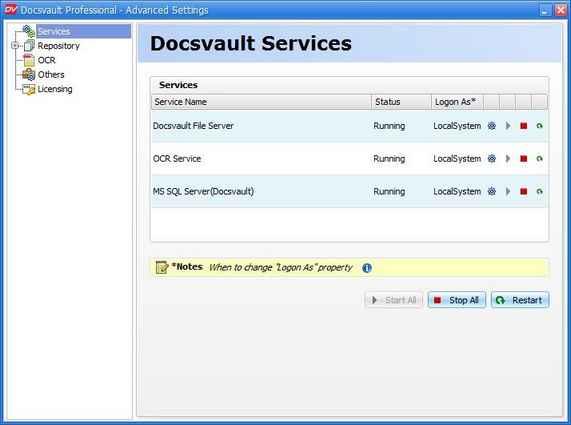
Services The Services node allows you to start and stop various Docsvault services.
Services: This will display the different services used by Docsvault along with its status.
Docsvault File Server: This is the basic service that is responsible for transferring files upon request. This is an essential service without which Docsvault will not function.
OCR Service: This service is used to convert imported and scanned PDF images into searchable PDF files. This service is only necessary if you have purchased the optional OCR add-on. You may terminate this service if you do not use the OCR feature. For more options on scheduled OCR process please see the OCR node.
MS SQL Server(Docsvault): This service in only displayed if you let Docsvault install a SQL Server Express edition on the server during installation. For installations that use user specified databases, this service will not be visible. If visible, this is an essential service and should not be turned off.
Logon As
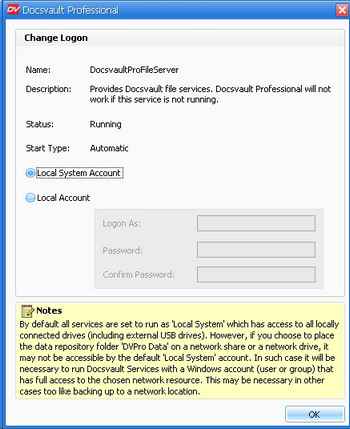
The Logon As column displays the account under which a service runs. All Services in Docsvault are configured to use the default local settings. However, you can use Change Logon icon to change the default settings for a service. This is required if you are troubleshooting service failures while taking Backup/Restore on a network share or network drive.
Page url: http://www.docsvault.com/online-help/professional/index.html?service.html |