|
This section covers:-
Manually backing up on Local / Network location
Manual backup will allow you to take 'Full backup' of all files in the repository along with its meta data.
| • | Select the Repository > Backup node in Tools > Advanced Settings |
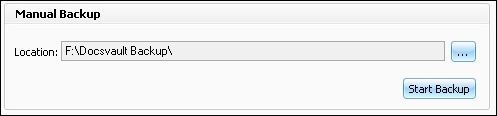
| • | Under the Manual Backup section, browse to the location on the Local or Network drive to store backup folder |
|
Manual Backup
|
| • | Now click on Start Backup button to start the backup process. |
| • | Once the backup is completed, a dialog box will appear confirming the completion of a successful backup. |
| • | The name of the backup folder is a combination of the term "Docsvault Backup" and current date and time. |
Ex. Docsvault Backup 04-Jan-2010 17.49.
| • | Click on Close button to close the backup wizard. |
Page url:
http://www.docsvault.com/online-help/professional/index.html?manual_backup.html
| 


