Navigation:  Launching and Activation >

Launching Docsvault

Print this Topic Previous pageReturn to topNext page

This section covers the server activation and several ways of launching the Docsvault program.


Launching Docsvault


Launching Docsvault

Docsvault Professional

On the Desktop, double click the Docsvault icon.


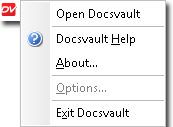
In the System tray (right bottom corner near the clock), right click Docsvault icon.


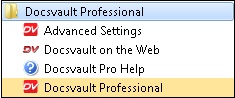
Start Menu, select Start\ Programs\Docsvault Professional\


Page url: http://www.docsvault.com/online-help/professional/index.html?sv_launching.html