Navigation:  Launching and Activation >

Activating Docsvault

Print this Topic Previous pageReturn to topNext page

30 Days Trial Period


The default installation allows a thirty-day trail period. During the 30-day evaluation period, all the features of the program are fully functional excepting the OCR feature which is limited to a 100 pages. At the end of the trail period the program will stop functioning and will prompt for an Activation key when you try to run the Docsvault Professional. Please visit our website www.docsvault.com to purchase the necessary activation key.


Activating and Registering Docsvault


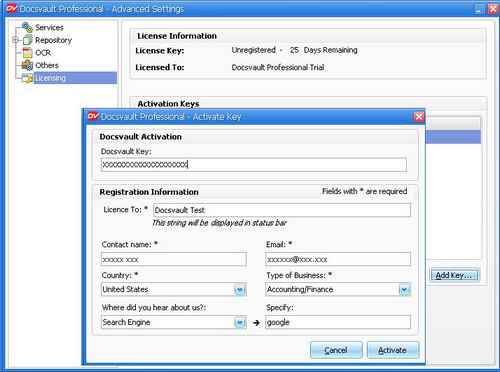
From the Docsvault Professional  window, select the Licence node from Tools > Advanced Settings dialog.


The Activate key form will appear. Enter the 25 character key emailed to you at the time of purchasing Docsvault. This key will allow you to activate the product on a single machine. Fill in the necessary registration information and click on Activate.


       Activation Form


Note:
Make sure you have an active internet connection during the activation process. If you are using a firewall application, allow Docsvault to access the internet for this one time activation process.


To activate OCR Add-on


You can add OCR Add-on licenses at any time by purchasing the add-on activation key from our website or from an authorized reseller.


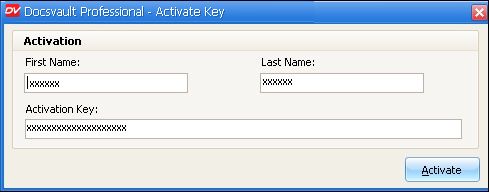
In Tools > Advanced Settings window, select the Licence node. Click on the Add Key button, fill up the necessary information in the activation form and click on the Activate button.


Activate OCR Add-ons


Page url: http://www.docsvault.com/online-help/professional/index.html?activate_dvpro.html