Navigation:  Docsvault Features > Importing  and Exporting Documents > Importing Documents > MS Office Plugins >

Installing the MS Office Plugins

Print this Topic Previous pageReturn to topNext page

 
Installing Microsoft Office Plugins

 
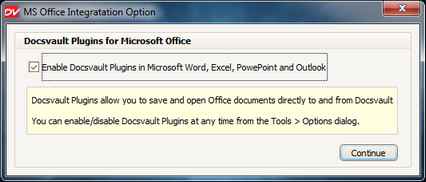
Docsvault Plugins for Microsoft Office must be enabled in order to add a separate toolbar for Docsvault in MS Office applications like Word, Excel, PowerPoint and Outlook.  This option is available when Docsvault program is executed for the first time. At the later stage, you can enable or disable it from Tools > Options dialog.


Docsvault Plugins


Whenever you start the MS application for the first time after installing Docsvault, please allow the Setup file to register the required Plugins.


Page url: http://www.docsvault.com/online-help/professional/index.html?installing_msoffice_plugins.html