|
Sorting Files and Folders |

  
|
|
Sorting Files and Folders |
|
|
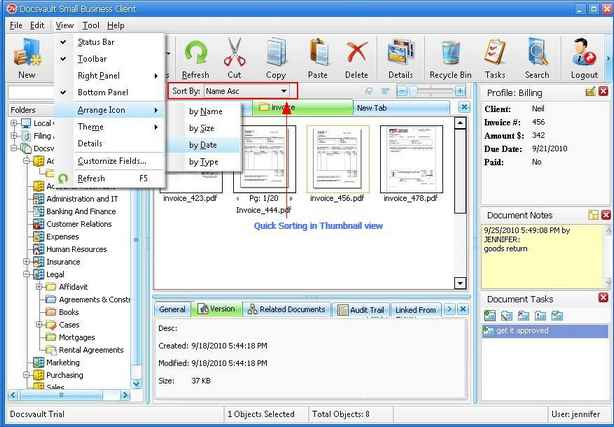
Sorting files and folders You can sort files or folders by categories such as date, name, size, and type.
Right click on the List view panel, point to Arrange Icons and then click the appropriate command
Name Arrange icons in alphabetical order by the icon name.
Size Arrange icons in order of file size.
Date Arrange icons in the order that the file was last modified.
Type Arrange icons in order of type. For example, if you have shortcuts to several PDF files in your folder, these will be arranged next to each other.
Quickly sorting In Details View, you can also quickly sort the listing in ascending and descending order by clicking on a column header.
In the Thumbnails view, select the sorting option form the list box next to Sort By in the panel below toolbar.
Page url: http://www.docsvault.com/online-help/professional/index.html?sorting_files_and_folders.html |