|
Searching Documents |

  
|
|
Searching Documents |
|
|
The Search feature makes it easy to quickly find documents stored within Docsvault. All text based files imported or created in Docsvault are indexed by text, allowing you to search documents by their contents. You can search for documents by specifying several search criteria. Wildcard characters can be used to help you define your search criteria.
Docsvault Search allows you to ...
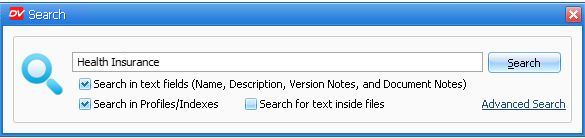
Quick Search
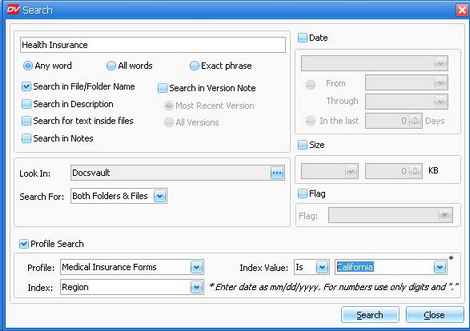
Click on the Advanced Search link to performs an advanced search on Docsvault files, folders and cabinets.
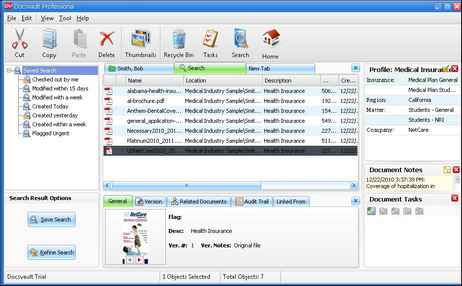
Refine Result and Saved Search Refine Result feature The Refine Results feature provides an easy way to narrow down your search results. The refinement options are dynamically generated based on you current search results. The result is displayed only if it has the keywords values associated with the current search results.
Saved Search If you regularly look for a certain group of files and end up performing the same search over and over again to find them, you might find it useful to save your search results. Docsvault Saved Search feature allows you to save frequently used search parameters, saving you even more time when it comes to retrieving your documents.
Page url: http://www.docsvault.com/online-help/professional/index.html?search_docs.html |