|
Reordering pages
If you’ve combined a collection of files together into a PDF document, and they’re in the wrong order, you can easily reorder or rearrange them using the tools in Docsvault PDF Files.
For example:
Referring to the example in Append & Merge files. After combining two files Oddpage.Pdf and Evenpage.pdf in one file. You can easily reorder or rearrange pages using the Reorder tool.
|
To reorder or delete pages
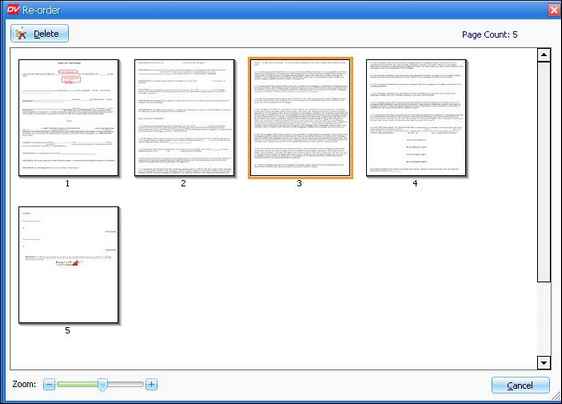
| • | To open Re-Order window, from the Document Menu select Reorder option or click on Reorder button  on the Document Toolbar. on the Document Toolbar. |
| • | Select and move the Page to rearrange the pages. |
| • | You can easily delete unwanted page by selecting it and clicking on Delete button. |
| • | Sliding the Zoom slider at the bottom will help you to have better look at the pages in the Thumbnail view. |
|
Reorder Pages in the PDF File
|
Page url:
http://www.docsvault.com/online-help/professional/index.html?reorder_pages.html
| 


