Import Options
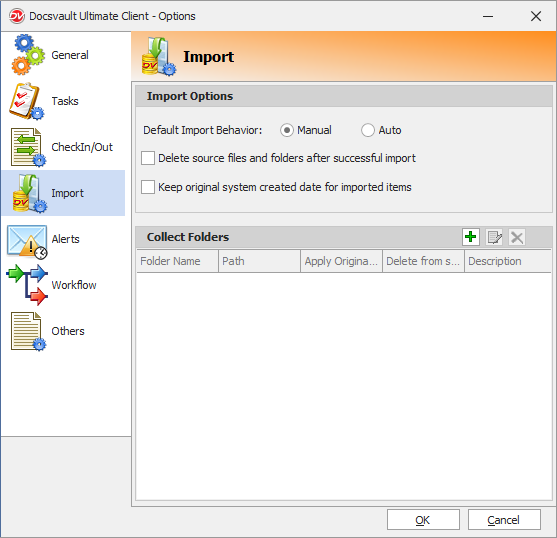
Import option enables you to set the default settings while importing burning documents into Docsvault. You can set the default behavior of the following options while importing documents into Docsvault.
Default Import Behavior:
You have an option to either set the default import behavior to Manual or profile based Auto filing.
Delete source files and folders after successful import
Enabling this option will delete the source documents after importing into Docsvault. The files are moved to the Recycle Bin.
Keeping original system created date for imported items
By default, Docsvault preserves the original system created and modified date and time of files and folders when importing documents. If this option is disabled, the date and time of import into Docsvault is applied instead.
|
|
Most Recently Used (MRU) Settings
•Top index fields to remember: Specify the top x number of index values to remember automatically in recent profiles.
•Recent Profiles/Filenames to remember: Specify the number of recent profiles or filenames to retain in the MRU list.
Collect Folders
You can set up a collect folders on your machine. When new documents are created in or copied into these folders, the service will display the documents into the filing area from where it can be filed into designated Docsvault folders easily. To learn how to add a collect folder, click here.