|
Templates |

  
|
|
Templates |
|
|
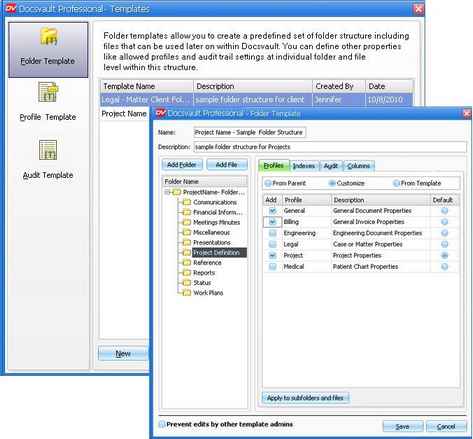
Templates are predefined set to structures that can be used when necessary without having to enter detailed structure and settings manually. You can define multiple templates of folder and file structures and properties like 'allowed profiles' and 'audit trail' settings.
Each Template can specify:
Folder Structure If you need to create folders with same structure regularly, then you can save time by creating a Folder Template. You can also associate profile, and audit log events to a template. You can then create new folder based on the predefined Template. Examples of useful templates can be Order template, Insurance template, Legal template, Project Template. By using the Template, you can customize the contents for a folder so that, when you creates a new folder of that type, the folder is pre populated with multiple files and documents based on template selected.
In Docsvault, when you create a folder , a 'From Folder Template' option is available against Type in New Folder dialog box. The 'From Folder Template' displays a list of templates form where you can select to create a folder structure.
Each document will inherit its settings directly from the core Folder Template. This will also ensure that the basic columns for your folders, such as Title and Created By that are associate with a template, are present.
Folder Template
Page url: http://www.docsvault.com/online-help/professional/index.html?templates.html |