|
Editing in Docsvault PDF Editor |

  
|
|
Editing in Docsvault PDF Editor |
|
|
Editing in Docsvault PDF Editor
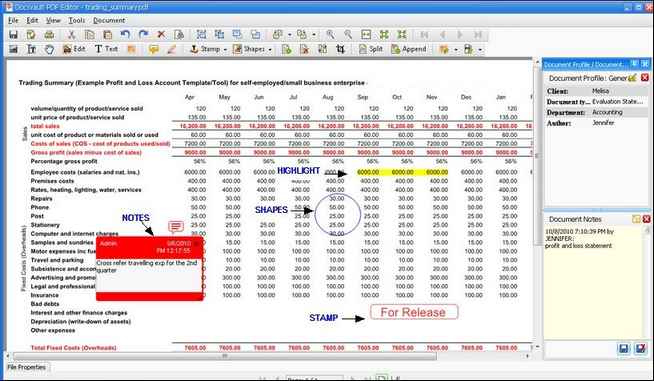
Docsvault PDF Editor enables you to view and annotate scanned ocr'd document. There are optional editing facilities which allow cut, copy and paste objects. Docsvault PDF Editor also has the capability to zoom in the document and export page as image. You can also annotate the scanned image by highlighting, adding text or graphics around or within the image, in addition to using 'stamps' or 'notes'. Documents may be printed at their original size or to fit the required paper size, to any Windows compatible printer with graphics capability. For more information, see Working with Docsvault PDF Editor.
Page url: http://www.docsvault.com/online-help/professional/index.html?editing_in_docsvault_pdf_edito.html |