|
Introduction to Docsvault PDF Editor |

  
|
|
Introduction to Docsvault PDF Editor |
|
|
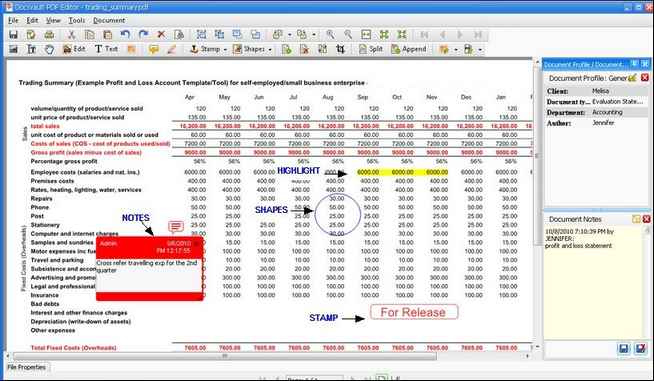
Docsvault PDF Editor PDF stands for Portable Document Format. It is a universal file format for exchanging, storing, and retrieving electronic information, while preserving the original document layout and appearance. Docsvault PDF Editor allows you to open and work with PDF documents. You can write annotations and edit the contents of the document. You can also add or delete pictures and vector graphics and add text in any font you want.
Features of Docsvault PDF Editor
Page url: http://www.docsvault.com/online-help/professional/index.html?intr_docsvault_pdf_editor.html |