|
Exploring Docsvault PDF Editor |

  
|
|
Exploring Docsvault PDF Editor |
|
|
Exploring Docsvault PDF Editor
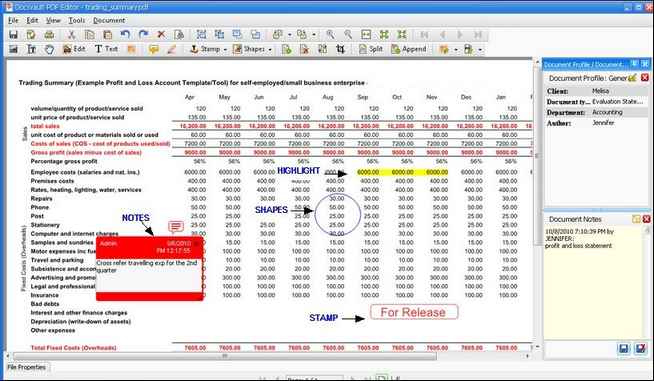
This part describes Docsvault PDF Editor application window and the tools that are available to you when working with PDF documents.
The look and functionality of Docsvault PDF Editor is very similar to any other document viewing application. It includes a document panel for viewing PDF documents. A menu bar, status bar and several toolbars around the window provide all the controls that you need to work with documents.
Let us get familiar with each component of the Docsvault PDF Editor
Shows the program name and current document name.
The menu bar provides access to the features and functions of Docsvault PDF Editor.
The toolbar area includes sets of toolbars for quick access to the features that are frequently used. Each button on the toolbar has an associated command on the menu bar.
It includes all the paging controls for navigating and viewing pages.
It displays the document opened in Docsvault PDF Editor.
It allows you to enter the index of the document and add additional notes in Document Notes.
It allows you to set the properties of the object.
Page url: http://www.docsvault.com/online-help/professional/index.html?exploring_docsvault_pdf_editor.html |