|
Drop Folder |

  
|
|
Drop Folder |
|
|
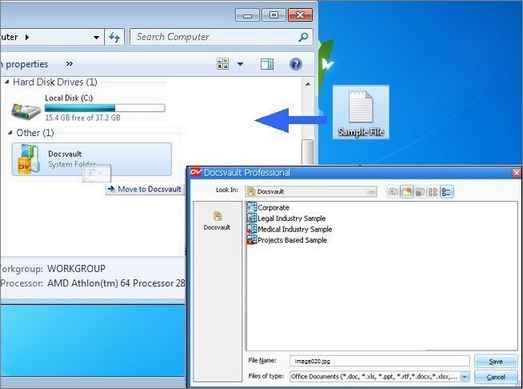
Docsvault Drop Folder tool allows you to quickly and easily drag and drop files from any location onto the Docsvault Drop Folder and import them into Docsvault. Files are uploaded straight into Docsvault, and quick access to the destination folder in the repository are listed on your Docsvault Import box.
You can enable this option in Tools > Options > Import menu. The Drop Folder and be placed either under My Computer or on the Desktop.
Once you have Drop Folder created on your computer, simply drag and drop the files into the drive.
Page url: http://www.docsvault.com/online-help/professional/index.html?drop_folder.html |