To add and insert pages to an existing PDF document, use the Append or Merge Files feature.
Appending document to an Existing PDF
•Right click on the document where you want to append the PDF file.
•Select PDF options > Append File.
•The Append dialog box will appear.
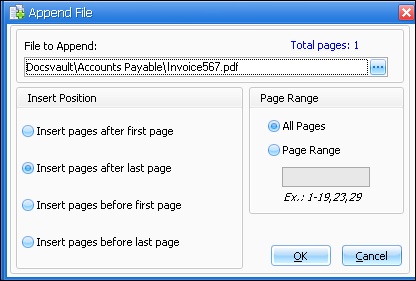 Append File |
•Choose the file from which pages will be added.
•Select the 'Page Range' to append.
•Specify the 'Insert position'.
•Click on OK to complete the process.
•Users with 'New Version/Check out' rights can add pages to an existing file. •A minimum of 'Read' rights is required to access the source file.
|
