Manual Repository Export
Export all documents and their associated metadata to a specified location.
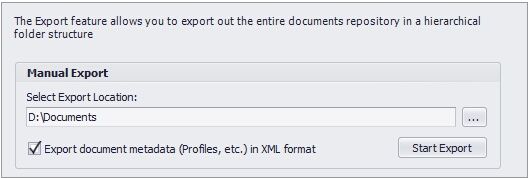 Export Repository |
•Select Export node in Docsvault Server Manager dialog box.
•Under the section of Manual Export, select the export location
•Export Location: Choose the target folder for the exported files. Files will be exported in their original format.
•Export metadata: Enable "Export document metadata (profiles, etc) in XML format" to include metadata, such as profiles,
descriptions, and notes, in XML format.