Filing Template feature allows you to file documents into the appropriate folders based on profile indexed values. This feature helps reduce misfiling and enables faster mass importation of documents. It also lets you to automatically name the file being imported and add description or notes based on index values entered by users.
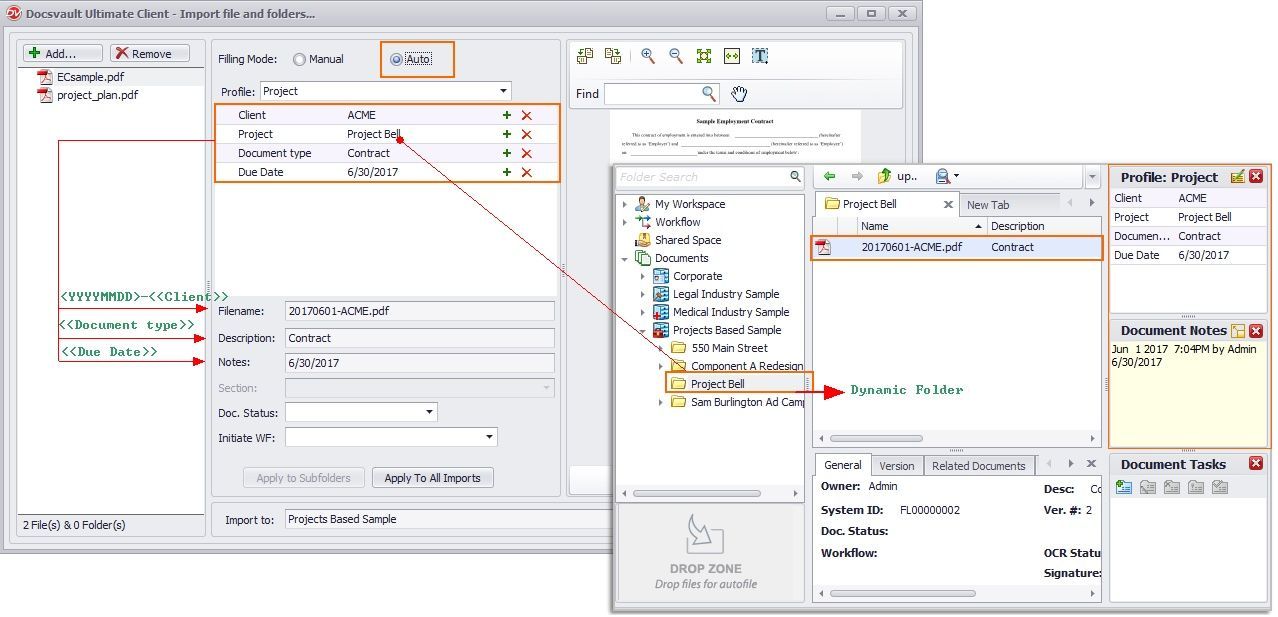 |
To learn how to create File Name Template, see Setting Up Filing Templates.
•When automatic naming rules are applied to a profile, the folder and file name fields are locked. This prevents manual renaming of items to ensure consistency and accuracy in the naming process. |

See also |
|
Profiles and Indexes |