Export to folder
•Select the documents to be exported from the list or tree view panel of Docsvault Explorer
•On the File menu, point to Export To and then select Browse to choose the location or select from most recently used export locations to quickly export the documents.
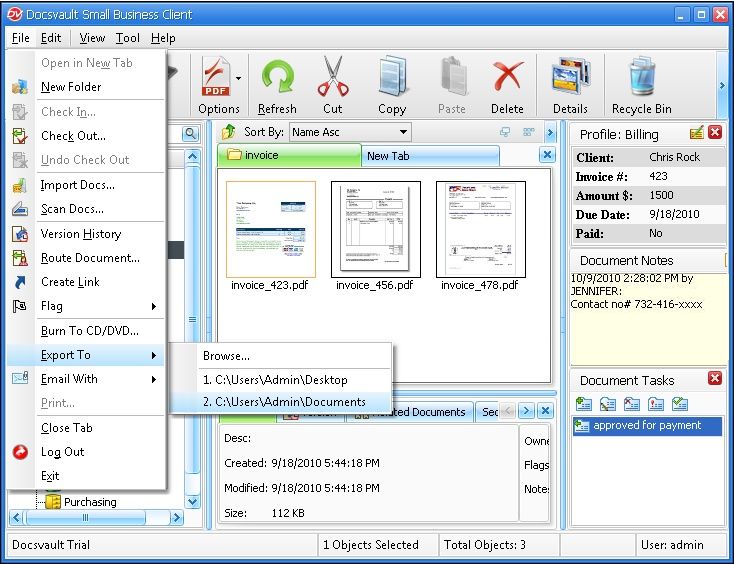 Export to folder |
•To export the files or folder, you must have Export rights on documents being exported. For more information about user rights or permission, see Security Rights in server manual.
|

•Docsvault will not export link files. (file with an extension .lnk).
•If enabled in the Docsvault Server Manager, the "Document ID" and "Version Number" will be added to the filenames.
|
