Inserting Scanned Pages into an Existing PDF
To scan a page and insert it to an existing scanned PDF or TIF document, use the Add pages feature.
•Right click on the document where you want to append the scanned page and then
•Select Scan & Add pages Or
•Select PDF Options > Scan & Add pages from the tool bar.
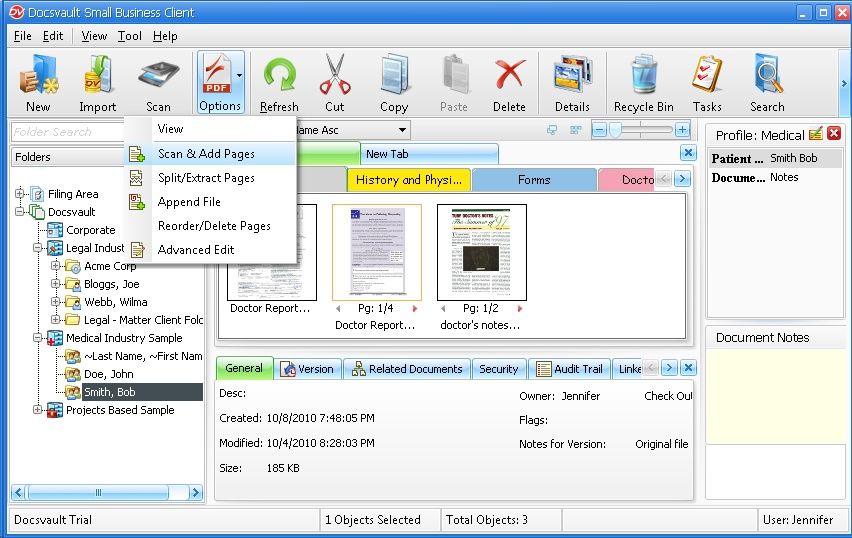 Scan and Add Pages |
•The scan dialog box will pop up.
•Set the parameters and scan the document.
•The new scanned page will be appended after the last page of the existing document.
•You can scan and append to any PDF files.
•Scanning the documents and saving in batches feature (Multiple files) is not available in this option.
|

•Users with 'New Version/Check out' rights can add pages to an existing file.
|
