|
CONNECTING DESKTOP CLIENT OVER THE INTERNET OR CONNECTING OUT OF NETWORK DESKTOP CLIENTS
|

To connect desktop clients that are not local to your network, you will need to setup the following:
A.Set up SQL server instance hosting Docsvault database to run on a static port
B.Forward port# 3831 and SQL server static port in your firewall
C.Use a public domain name or IP address that points to your internet connection
D.Specify sql server connection string when prompted by the desktop client during first connection
A.Set SQL Server to run on a static port
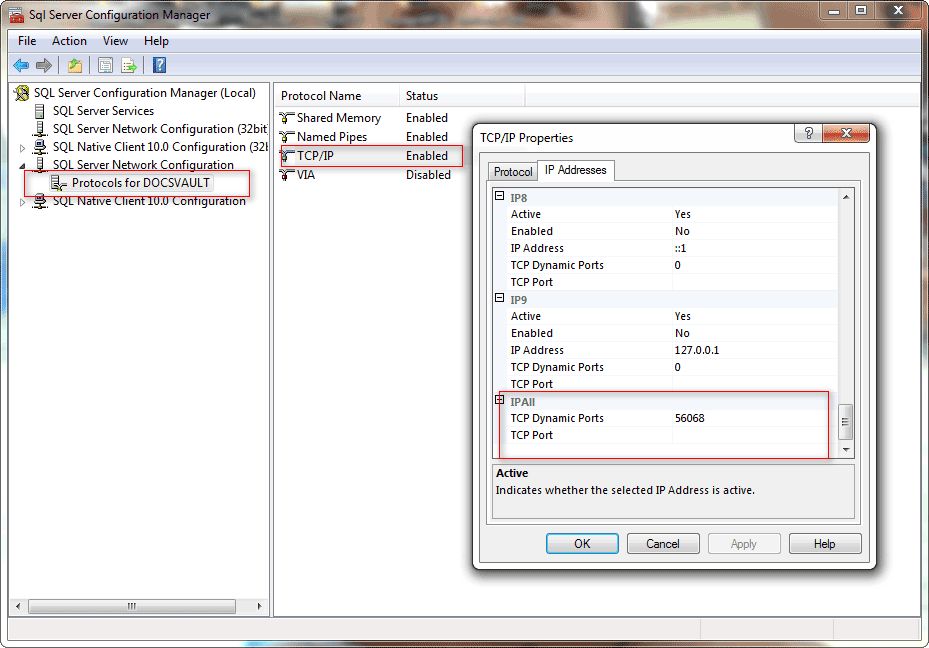
•From the start menu find and run the “SQL Server Configuration Manager”
•Expand SQL Server Network Configuration, expand “Protocols for DOCSVAULT” (or your SQL instance name), and then double-click TCP/IP
•From the TCP/IP dialog that opens up, click on 'IP Address' tab and navigate all the way down to "IP All" section. The number against the ‘TCP Dynamic Ports’ is your dynamic port number
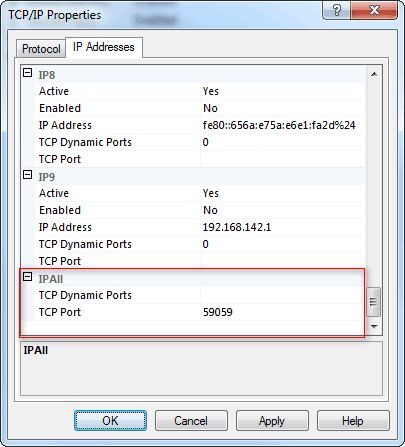
•Delete the number against "TCP Dynamic Ports" and against the "TCP Port" specify a desired free port number between 49152 & 65535 (59059 in example below)
•Restart the SQL server service for the new port to take effect
  |
B.Port Forwarding
Forward the following ports in your router/firewall so that remote Docsvault traffic can be routed to the right machine inside your network.
TCP Port 3831: To allow connection to the Docsvault Server Service. This port is forwarded to the internal IP address of the machine running the Docsvault Server software
TCP Port for SQL Server: The static port your SQL server is running on - set in Step A. This port is forwarded to the internal IP address of the machine running the SQL server for Docsvault
Note: You will need to allow these connections on the respective server’s local firewalls, if enabled.
C.Public Domain or Public IP address
To connect to the Docsvault server over the internet or external network, you will need to use a domain/subdomain or public IP address that points to your internet gateway (firewall / router).
D.Client Connection String
When running the client remotely:
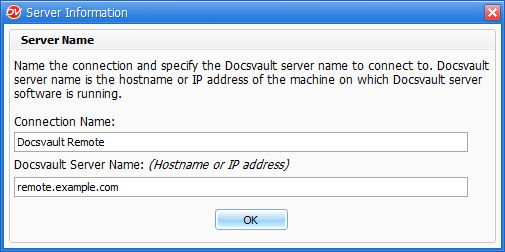
➢Specify your domain/subdomain name or public IP address as the Docsvault server name
 |
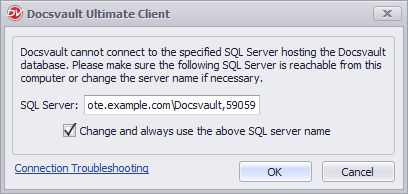
➢When prompted, specify the SQL Server connection string in the following format
“domain-or-IP”\”SQL-instance”,”port#”
example: remote.example.com\Docsvault,59059
 |