Open Batches
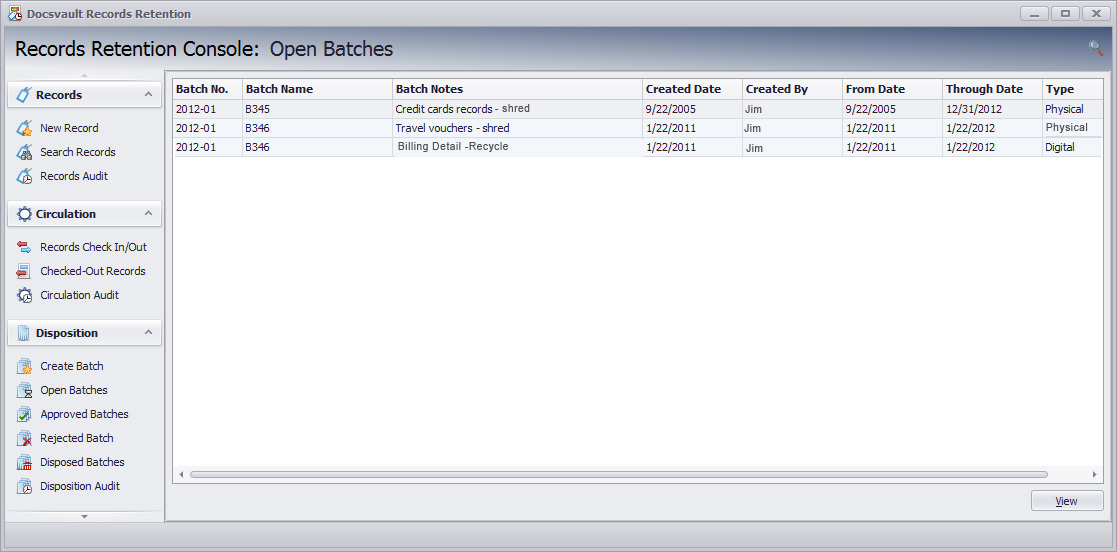
Open Batches will list the batches created for disposal.
•Select a batch and click on the View button. This will display the batch details along with the records selected under this batch for disposal.
•Review the list of records. Click View button to view the record details. At this point, if you wish to retain any record from ordinary disposition procedure due to any litigation, claim, negotiation, audit, public information request, administrative review, or other action involving the record, you can put in under appropriate hold using the following steps:
oClick on Edit button to edit selected record
oSelect the Hold Type from the drop down list box
oEnter the reason for it in Hold Reason.
oClick on Save button. The said record will be removed from this disposition batch. The disposition of the record is postponed until the completion of the action
•After proper review the entire batch can either Rejected or Approved for disposition.
 Open Batches |
|
• Only users with the rights of 'Approve Batch' can approve or reject a batch |
