The following list explains the status names displayed for OCR Status.
File not marked for OCR as per settings
This message means that the file was not marked for OCR in the 'Scan Profile' chosen while it was being scanned using Docsvault's own scanning interface
In queue for OCR
This message means that the file has been marked and is waiting in queue to be OCRed
Skipped Text based PDF
This message means that there is some text content in the PDF file and the OCR process was skipped as no OCR is needed on already text based PDFs
In queue for forced OCR / Re-OCR
This message means that file has been marked and added in queue for Re-OCR.
Failed
This message means that the OCR process has failed for some reason. The corrective action will be to mark this file for re-OCR either from the client side or in bulk from the Server Manager dialog
Processing...
This message means that the document is currently under OCR process.
OCR complete
This message means that OCR has been complete on the file.
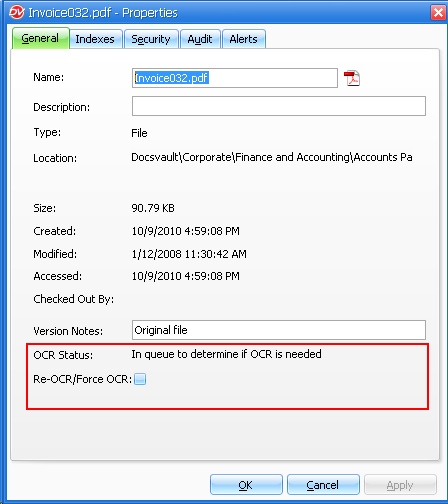 OCR Status of a document - Properties dialog box |
The OCR process runs in the background as a separate service on the Server machine. The user will be able to get the updated OCR status of a file from the File Properties dialog box and the administrator can keep track of OCR Summary from the OCR node in Docsvault Server Manager.
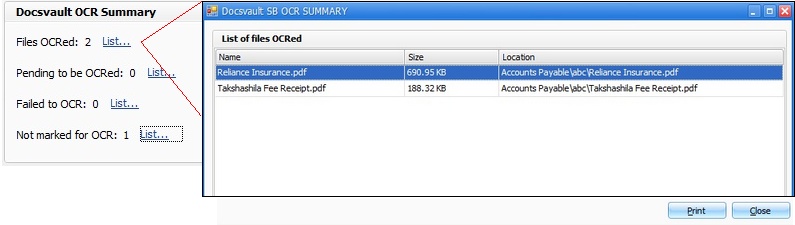 OCR Summary - Docsvault Server Manager |