Login Lockouts - Setting a maximum number of login attempts
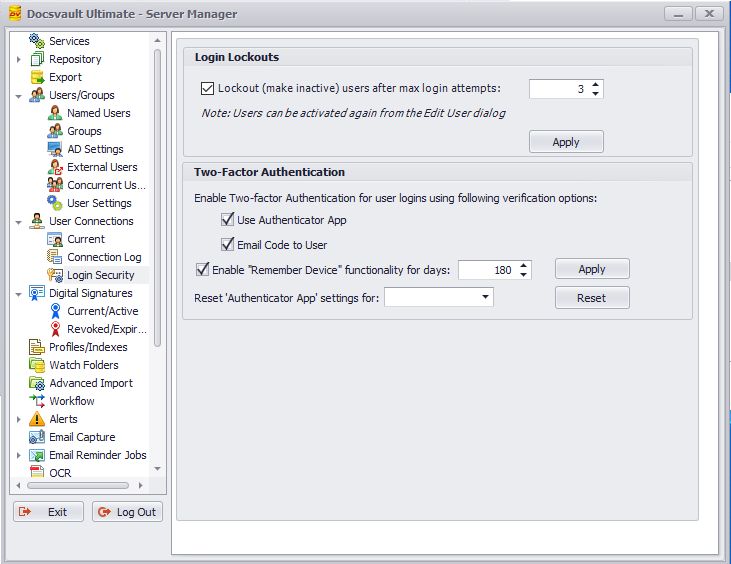
You can set a limit on the number of unsuccessful login attempts that a user can make before their account is deactivated. After the user's account is deactivated, the user must contact the administrator who can then unlock the account and provide a new password for the user.
To set a maximum number of login attempts
•In Docsvault Server Manager, select User Connections > Login Security
•Check the Lockout (make inactive) users after max login attempts, type the number of login attempts you want to allow, and then click Apply.