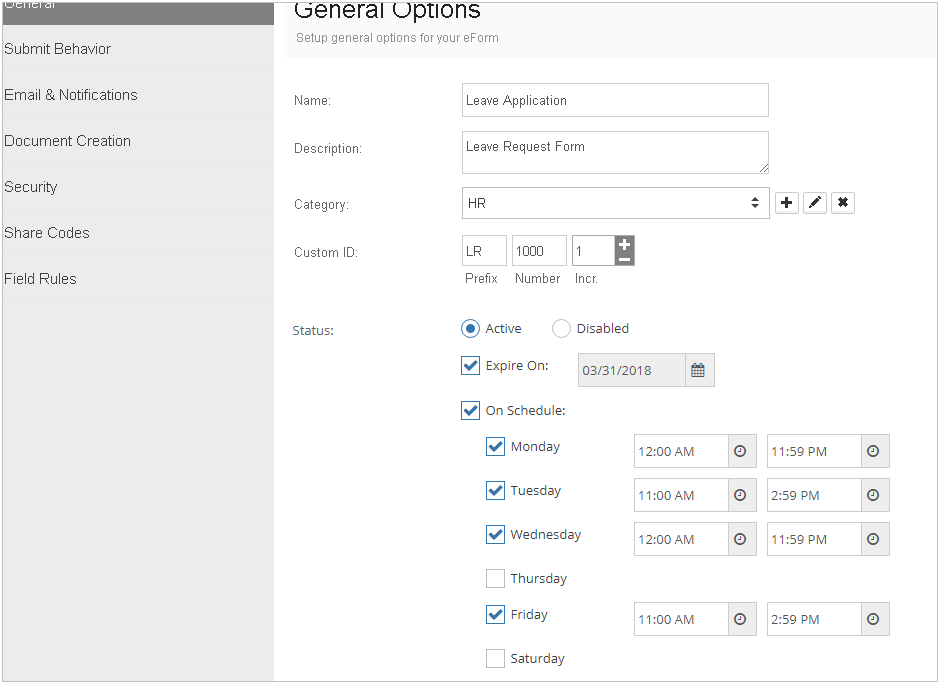
This tab allows you:
•To change your form's Name, Description or Category.
•Set unique Submission ID for entries submitted for each form.
•Make your form live by choosing Active option in Status.
•Assign an expiration date for your forms. Enable Expire On and select the expiry date for the form.
•You can even make the form available on certain days between specific times. Enable On Schedule, select desired days and set time range for each day.
•Click the Save button to save the general settings of your form.
 |
•You can map Submission ID, Custom ID & Submissio Date to Document's profile
|
