|
Having trouble in Docsvault Web Application Installation? |

The following are the common errors encountered during Docsvault Web Application installation.
•HTTP Error 500.19 – Internal Server Error
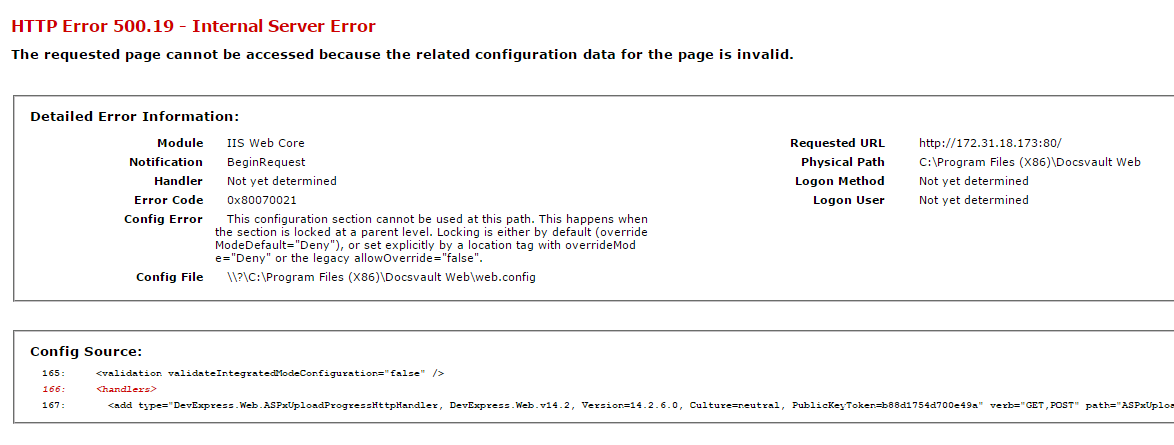 HTTP Error 500.19 error message |
Reason:
ASP.Net component is not enabled for IIS.
Resolution:
Follow the instructions in Installing/Enabling IIS Features topic in the Web Application Installation guide to ensure that ASP.Net feature is selected during IIS installation.
•Could not load file or assembly ‘ChilkatDotNet4.DLL’ or one of its dependencies….
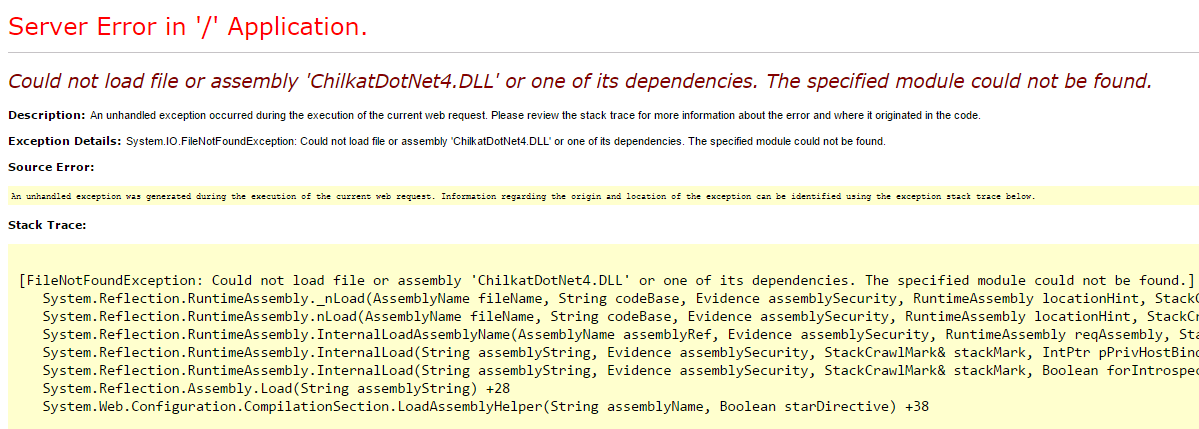 ChilkatDotNet4.dll error message |
Reason:
Visual C++ runtime is not installed.
Resolution:
Download and install the proper runtime using the following links depending on your OS version. (note that on some machines it may be required to install both the 64 and 32 bit of runtime even if you have a 64 bit OS)
32 Bit OS
x86 Microsoft Visual C++ 2010 Redistributable Package
64 bit OS
x64 Microsoft Visual C++ 2010 Redistributable Package
•Unable to see icons/images in Docsvault Web Client
Reason:
Static Content is not enabled for IIS.
Resolution:
Follow the instructions in Installing/Enabling IIS Features topic in the Web Application Installation guide to ensure that ‘Static Content’ feature is selected during IIS installation.