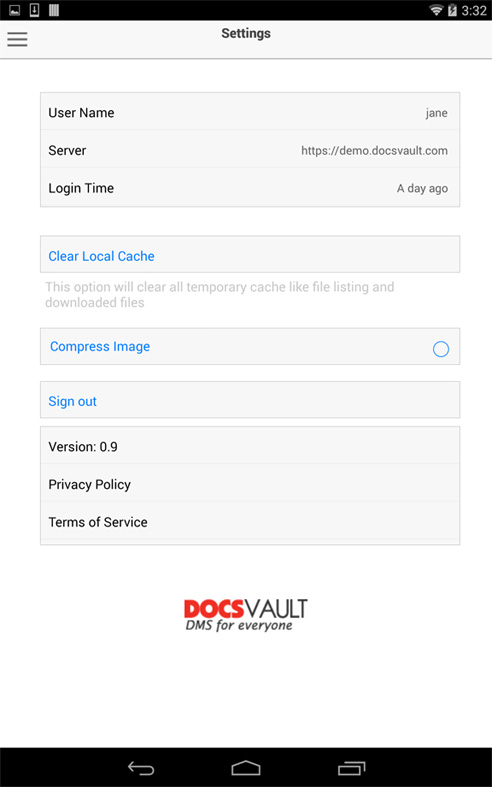
This page displays the current version, terms of services, privacy policy and Docsvault mobile settings.
User Name: Currently logged in user name
Server: Displays Docsvault web url
Login: Display the user login time
Clear Local Cache: Click this option to clear all temporary cache created while working with the Docsvault app
Compress Images: Enable this option to compress images before uploading files to Docsvault server. Note this option is only available in Android.
Sign Out: To log out the current user from Docsvault Mobile app
 |