Purge Documents
File purge allows you to permanently delete files created or modified before specified date from your Docsvault repository.
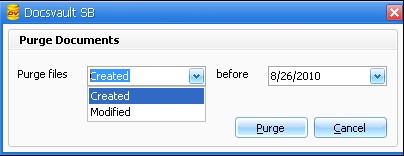 Purge Documents |
When you use the purge feature, all tasks and audit logs related to the files being purged are permanently deleted. |

Visual Themes
If you want the Docsvault user interface to have a different look, you can do so by changing its Theme. There are 30+ different themes to choose from.
•Select the theme of your choice to change the appearance of Docsvault and give a fresh look to your Docsvault Server Manager.
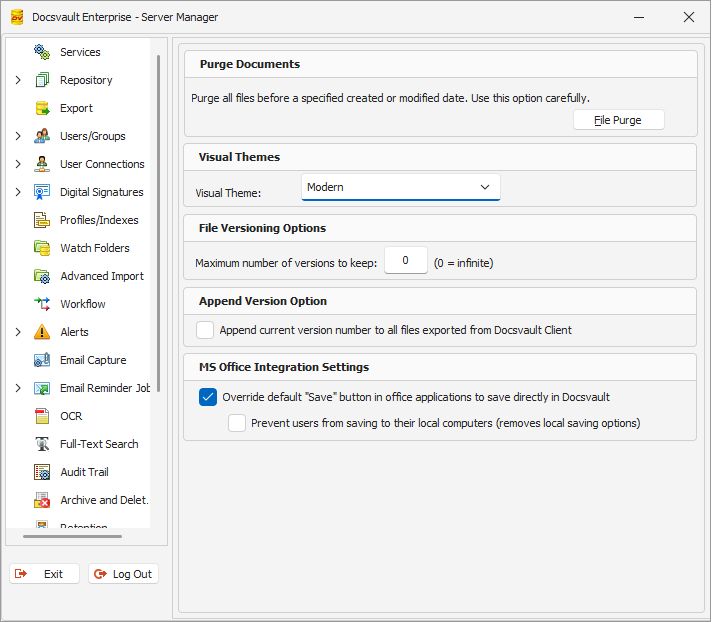 List of themes |
|
Max File Versioning
Admin can specify the number of file versions to keep. Docsvault will automatically delete older versions if the number of version exceed the maximum number specified.
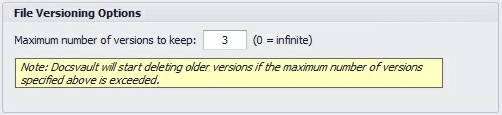 Max File Versioning |
Append Version Option
Check this option to enable automatic appending of version numbers to documents being exported manually by users from the Desktop and Web clients.
 Append Version Number |
MS Office Integration Settings
Overwrite default "Save" button...: Enable this option to override the default Office save dialog with a Docsvault import dialog. Users can still choose to save to their local machine.
Prevent Users from saving to their local computers: Check this option to prevent users to save MS Office documents outside of Docsvault. Users will not be able to save documents anywhere other than Docsvault. (Requires the Docsvault Add-in to remain enabled).
 MS Office Integration Settings |