Importing a new version of the same document in Docsvault
To import new version for an existing file
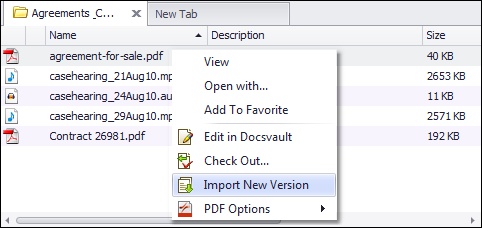
•Locate the file for which you want to import a new version.
•Right click and select Import New Version. Browse to the file from your system.
•In Check-In dialog, you can add version notes, set actions: add document notes, set/change folder section, set/change document status, initiate new workflow, and even notify the owner and other users while checking in a document.
•A new version will be created for the selected document.
 |
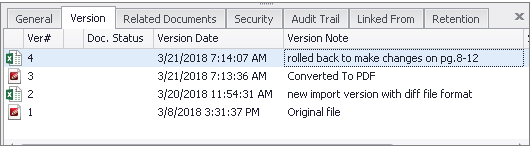
You can also import new version of a document of a different file format. Example: A PDF document can have a Word doc imported as a new version.
 |