Checked-Out Records
In Record Retention Console, click Checked-Out Records. This will list the physical records checked out.
The Record Manager should be able to look at this log and track the exact status of each checked out record. (e.g., if checked out, reason for checked out, by whom, when due, whether enabled for email reminder and etc).
When the record is checked in, locate the record in similar way and click on Check In button. Enter the comments in Notes filed and the return date.
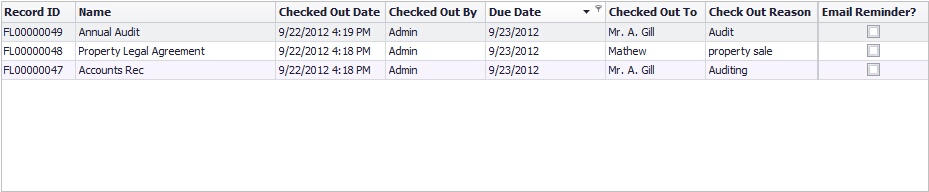 Checked-Out Records |
|
To get the report on the checked out records, click on the Record button. You can then get a hard copy or save the report in various file formats.
• A user needs 'Check Out Records' rights to checkout the records in Record Retention Console. |
