This dynamic user security audit report enables administrators to review and analyze effective permissions in the Docsvault repository. It provides details of the security privileges granted to specified users (including through their groups or ownership) or groups. These reports can be exported as and when needed for easy, hassle-free reporting.
To run the Security Audit Report:
•Click on the Administration menu on the top navigation bar and select User Security Audit Report.
•In the dialog box, set the Location to search under
•User/Group: Select a user or a group to review security for
•Select the View Options: Tree or List
•Click on Run Report button
The report produces a result depending on the parameters selected. Note that the report may take a while to complete, depending on the size of your repository.
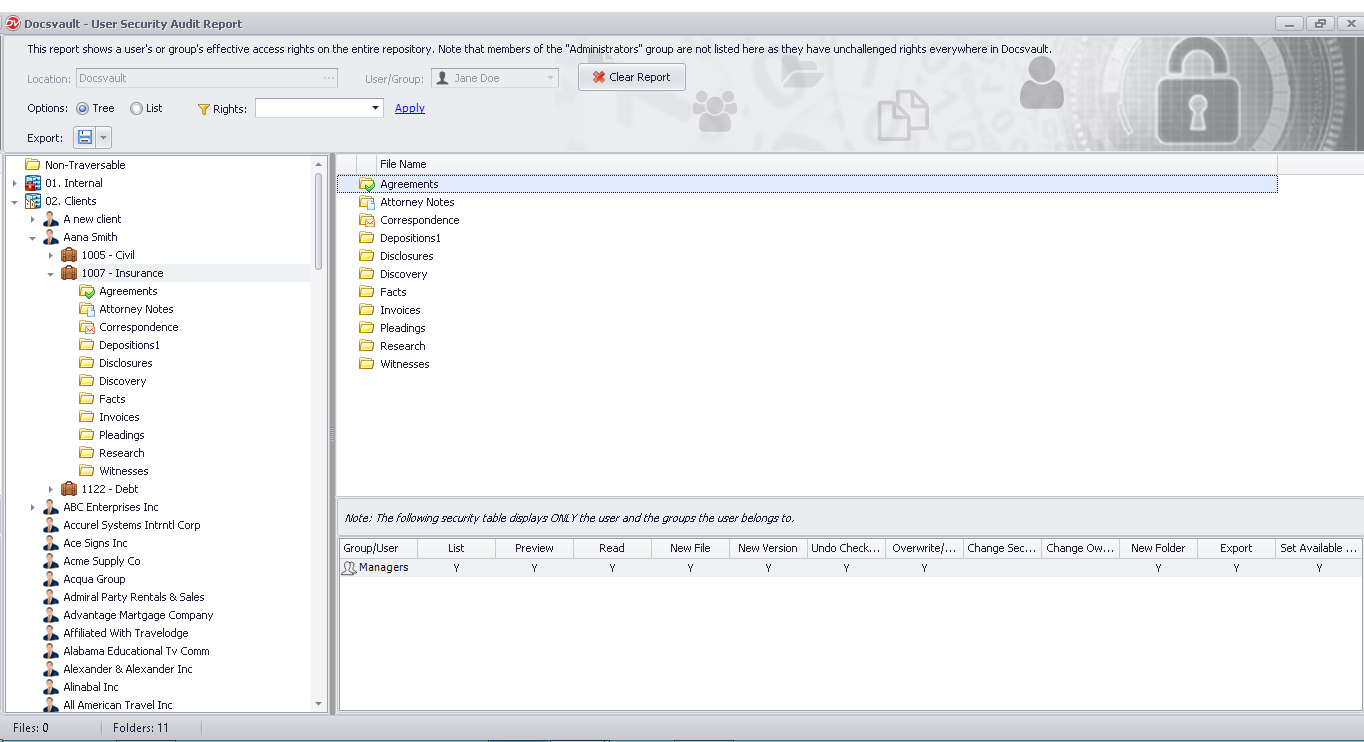
The Tree view will list the result in hierarchical cabinet-folder format for easy navigation and visibility. On selecting any particular folder or file, you can view the security details in the bottom panel.
 |
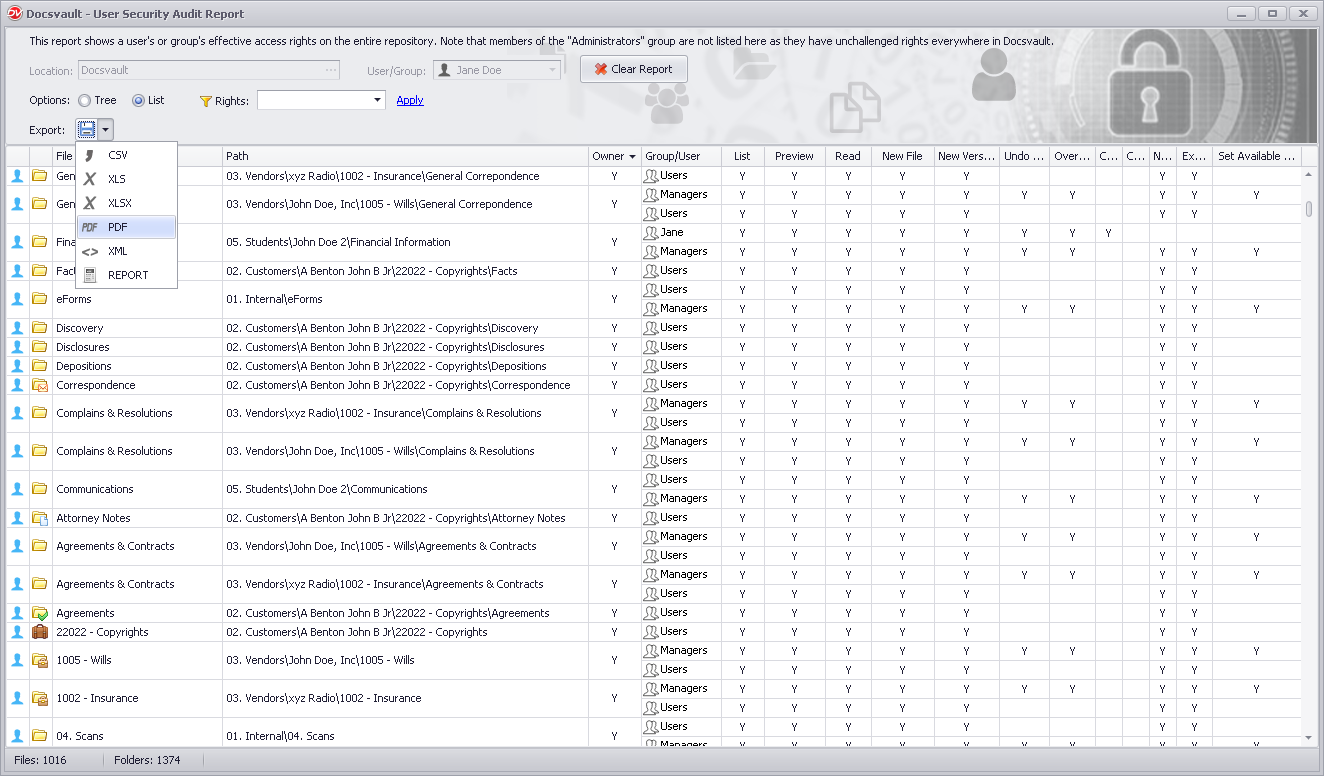
The List view will list all results in fine details in form of a grid.
The report includes the following details for each user/group who satisfies the report parameters:
•File Name
•Path
•Ownership
•Group/User
•Assigned Rights indicated by 'Y'
You can further narrow down the result by setting filter on Rights. Select the permission you want to evaluate from the drop list and click on Apply.
 |
•Administrator group members are not listed here as they have unchallenged rights everywhere in Docsvault.
|
