Sending documents as email attachment using Default Email Client
Docsvault allows you to export one or more documents as email attachment using default email client program or Docsvault Quick Email with just a couple of clicks.
To emailing document using default email client
•Select one or more files from the Docsvault Explorer.
•On the File menu, point to Email With and then select Default Email Client Or
Right click on the selection, point to Email With and then select Default Email Client.
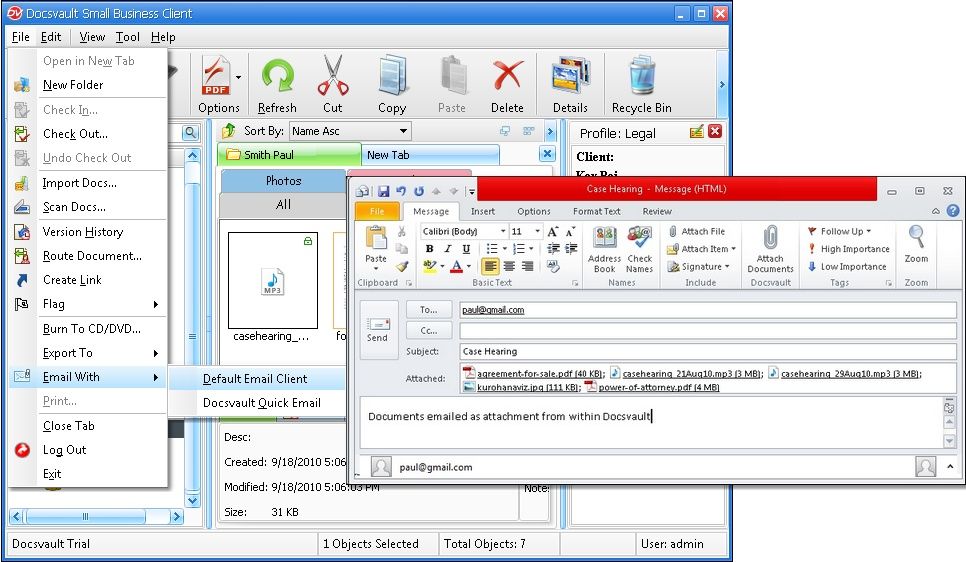 Document emailed as attachment |
•Default email client program set on your computer opens the compose window with the selected document as attachment.