Microsoft Office Integration
Docsvault allow integrates itself into Microsoft Office applications such as Word, Excel, PowerPoint and Outlook. Integration into the Microsoft Office applications allows users to quick add documents into Docsvault repository.
Users can store and retrieve documents directly from a toolbar of Microsoft Office applications.
•Save a document to Docsvault
•Check-in a document into Docsvault
•Undo a document Checkout
•Save a document as a new file
•Checkout a document for editing
•Open a document for reference in a read only mode
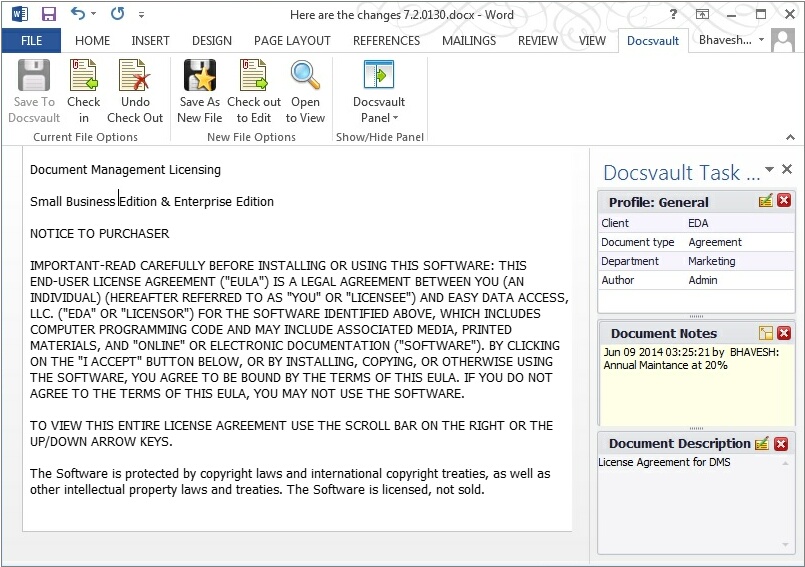 Integration with MS Office applications |
❖You can add or edit Profile/Indexes, Notes and Description of a document opened for editing right within MS Word. This feature is available in Docsvault v8.0 and above and is visible in MS Word only.
❖You can select auto-filing Profile to automatically file documents into the appropriate folders based on the index values applied to the document.
See also |
Importing Documents: Filing Documents from Filing Area |