Docsvault can search for files with the same name or with the exact same size. It helps you examine files and decide which one to keep thus helping you eliminate redundancy in your repository.
Benefits
•Reduces storage space and increases data integrity
•Reduces frustration when looking for specific files
•Organizes files in your repository for easier and faster searches
•Improves efficiency by making finding files much easier
To find duplicate files
•From the Tools menu, select Find Duplicates.
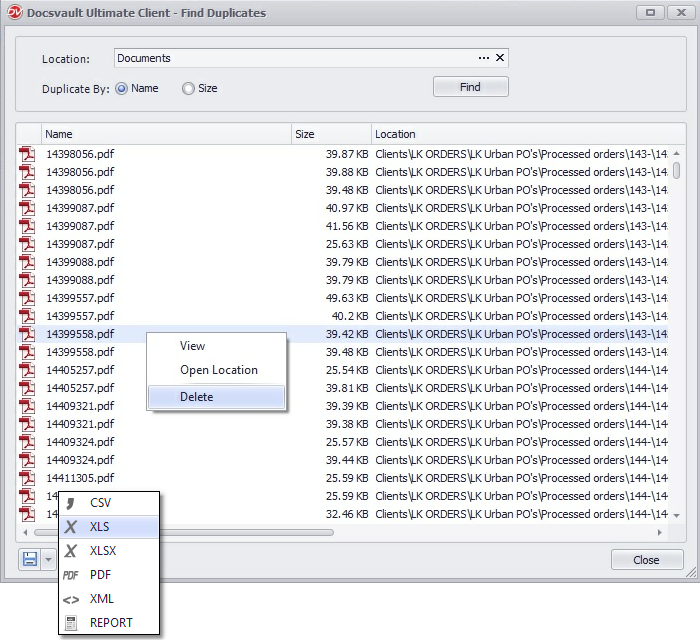
•Location: Browse to the cabinet or folder where you want the search to be performed.
•You can filter the duplication by its Name or by its Size.
•Click on Find button.
The duplicate dialog will show all duplicate files. The user is provided with the ability to view, open file location, and remove duplicate files from the right click menu. Docsvault allows saving lists of detected duplicate files to PDF, XML, Excel and CSV format for further manipulation.
 |