This displays the current successful login for users in Docsvault. You can also clear any user connection from here (for users who did not gracefully logged out of a system on previous devices and are trying to login from somewhere else.)
Using the User Current Connection utility, you can
•View the users currently logged on to the system
•Track connected users information such as user name, host, ip address, log-in time and type of user license
•View and clear users who have been disconnected from the system in an abrupt manner
To view users currently logged in into the Docsvault system, go to Users Connection > Current node.
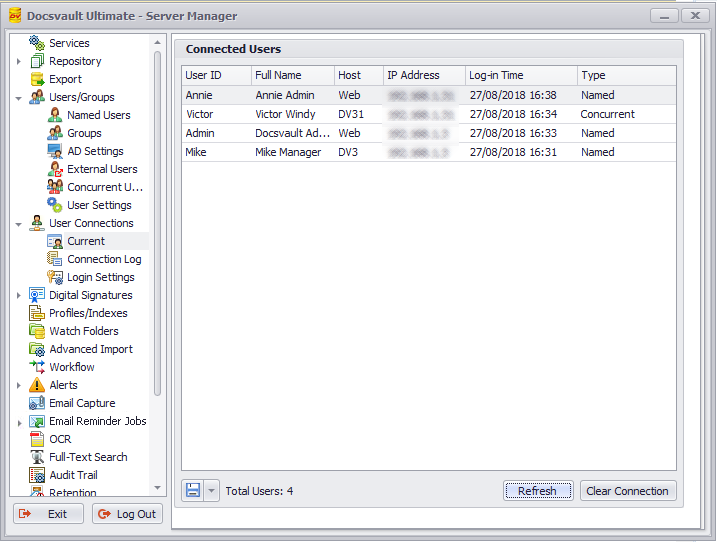 Clients - Connected Users |