Repository Options
Repository refers to a central place where all your documents and meta data are stored within Docsvault.
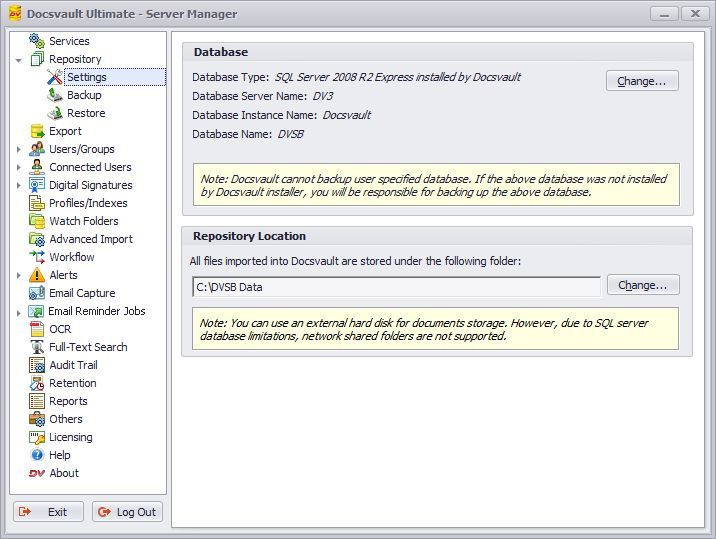 Repository Settings |
Database
This field displays the current database used by Docsvault. If you wish to connect to another Docsvault database, you can do so by clicking on the Change button.
•Changing the location of the database will not move the current data to the specified new location. It will merely connect to another database that already has required Docsvault data in it. |

Repository Location
This option can be used in case you run out of hard drive space or simply wish to move your data to a new location. This option is only available if the SQL server was installed by Docsvault.
You can use an internal or external hard disk for document storage that is physically connected to your machine. Network shared folders are not supported. However, You can create the repository folder on a NAS device that supports the iSCSI interface To achieve this, follow the general steps below. For exact steps, please consult your NAS device support documentation.
•Configure an iSCSI target on your NAS device from your NAS's interface
•On the machine running the Docsvault/SQL server start up the iSCSI initiator wizard from Windows control panel and fill up the NAS device information
•On the Docsvault server machine go to 'Disk Management' in Windows control panel and create a new drive from the free space made available by the iSCSI initiation
•Moving Repository now will not delete the repository from the source location. •The repository move process will attach to an existing repository if one is found at the target location |
Export Repository
You can directly export the entire documents repository to any local or network location. Unlike data backup, the Export Repository feature allows you to make a direct one-to-one copy of the document database with original file and folder names while still retaining the hierarchical folder structure.
•Export does not include any empty cabinets or folders and does not include meta data like description, document notes, profile etc. •Cabinets are exported as folders |