Header and Footer
 Header and Footer are areas in the top, bottom, and side margins of a page in a document, where you can insert certain information such as page number, file name, current date, document title, or document properties.
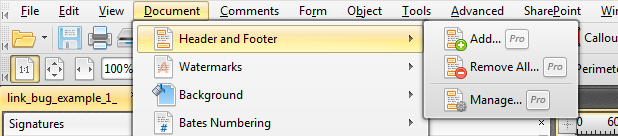
To add, remove or edit the Header and Footer, on the Main Menu choose Documents > Headers and Footers > Add, Remove All or Manage.
 |
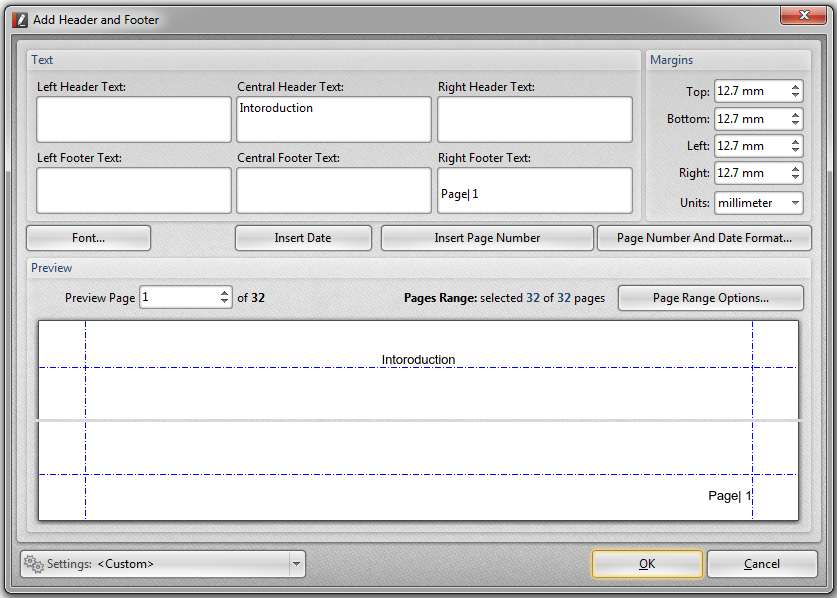
To insert information in Header and Footer, click on the  Add Header and Footer dialogue box, type text into appropriate boxes. You can preview header and footers before applying.
 |
 Remove Header and Footer dialogue, you can find the option to remove the existing header and footer from the list.
 Manage Header and Footer button gives you the options to create a new template of header and footer for the document, edit, remove the existing settings, or remove all headers and footers templates.