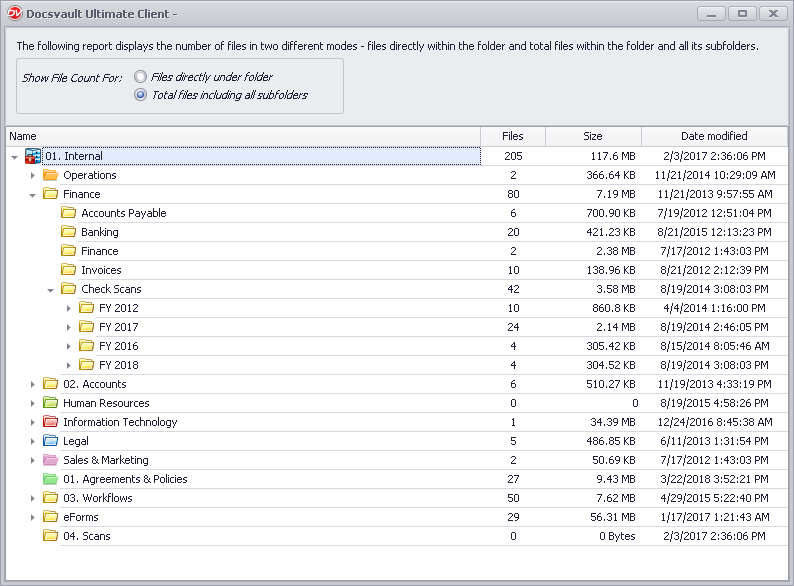
This report shows how the folder and its sub folders have been populated. This report is available from the right click menu of any folder or cabinet and is visible to all users. This report displays the number of files, modified date and total size at each level of the folder structure.
This report can be invoked from any level of hierarchy and is available in two different modes:
- Files directly within the folder
- All files within the folder and its sub folders
To view the Report:
•Select Folder and then right click and select Properties
•Click on the Details link next to Contains in General Tab
You can use this analytic report to easily find out which folders use the most space in your repository.
 |