Document Preview supports all popular document types (including Word, Excel, PDF, Emails, Images, DICOM images). You can now review a file without having to download the file to view.
Just like the standard preview panel in the desktop client, you can see the contents of file using Document Preview. Click on the Preview icon on the right panel to open the preview panel.
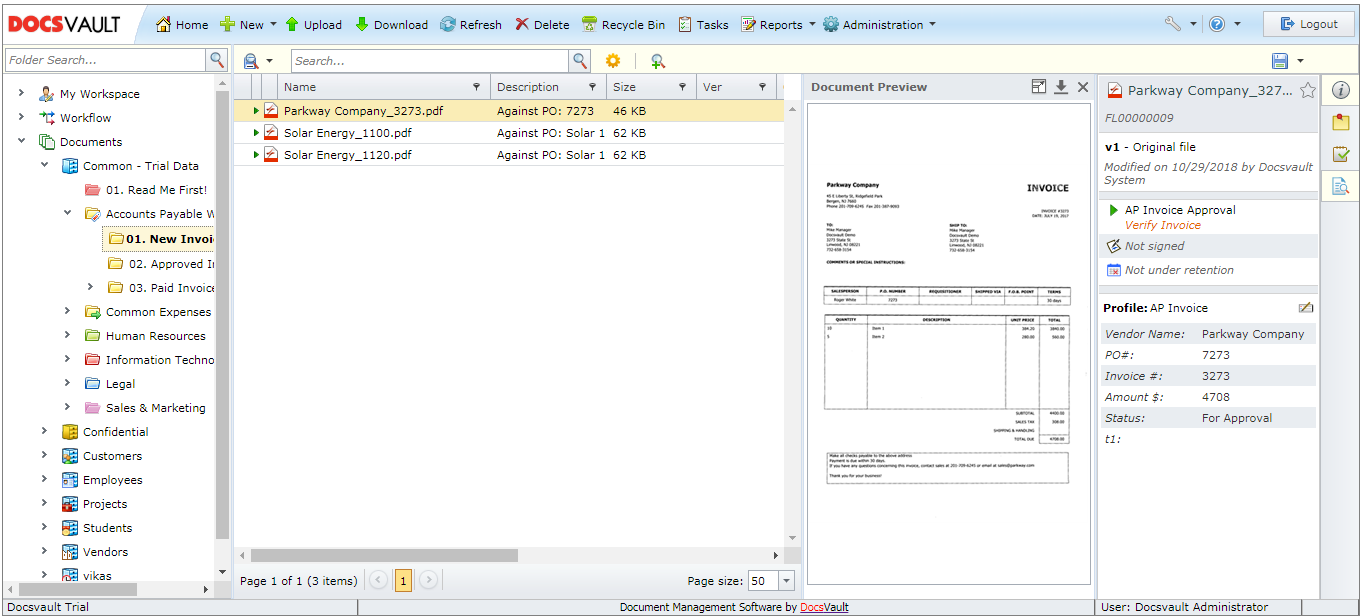 Docsvault Web Client Interface |
Press F11 to view word and excel files in a full screen mode.