Query Digital Signature Log
Docsvault maintains a record of all documents on which digital signatures are applied by the licensed users. An Administrator can also query the entire Digital Signature log. You can filter the report by users, names and dates.
•Click on the Administration menu on the top navigation bar and select Query Signature Log to display the Signature Log
•To query for events occurring between 'specific dates',
oClick the check box next to Date From to set the date range
•To query a list of documents signed by a particular user
oSelect the user name from the drop down box next to Filter by User
•Now click on Query Signature Log button.
The default Digital Signature Log dialog displays file name, location, user name, date/time and certify method (signed/certified). You can view the certificate associated with a file by clicking on the certificate link on the same row.
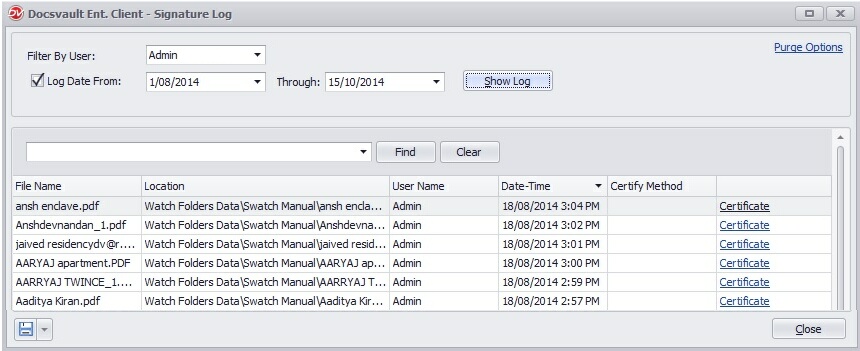 Query Signature Log |
Reporting & Export
The digital signature log results can be printed and saved in various formats like PDF, xlsx, csv, etc.