Navigation:  Docsvault Features > Audit Trail >

Document Audit Trail

Print this Topic Previous pageReturn to topNext page
Select a file from the list view panel and right click to get the popup menu.


From the popup menu, click on Audit trail OR


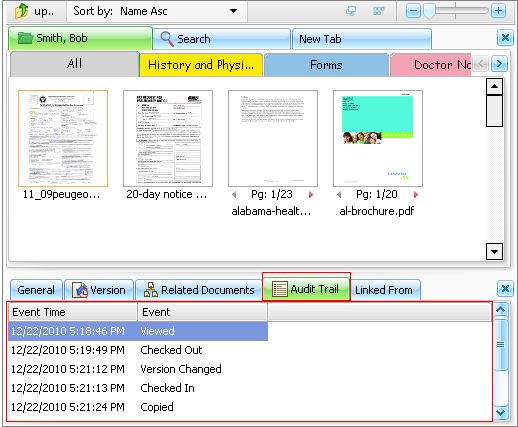
  From the bottom panel, click on Audit trail tab


This will displays the 'Event viewer' dialog box as shown below:


Document Audit Trail


The 'Event viewer' displays the following data:


File/Folder name         The name of the file or folder on whom the event has trigger.

Event Time                 The time and date of the event.
Event                 It will displays all the events that has been selected for audit trail for the file.

Location                 The path of the file/folder.


Note:

Audit Trail logs are read-only. They cannot be changed or deleted.


Page url: http://www.docsvault.com/online-help/professional/index.html?viewing_audit_trail.html