|
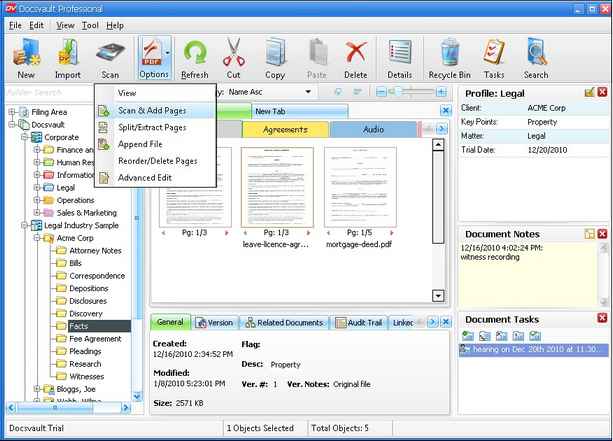
To scan a page and insert it to an existing scanned PDF or TIF document, use the Add pages feature.
| • | Right click on the document where you want to append the scanned page and then |
| • | Select Scan & Add pages Or |
| • | Select PDF Options > Scan & Add pages from the tool bar.
|
|
Scan and Add Pages
|
| • | The scan dialog box will pop up |
| • | Set the parameters and scan the document. |
| • | The new scanned page will be appended after the last page of the existing document. |
 Note: Note:
| • | You can scan and append to any PDF files. |
| • | Scanning the documents and saving in batches feature (Multiple files) is not available in this option. |
|
Page url:
http://www.docsvault.com/online-help/professional/index.html?append_pages.html
| 


