To use a dedicated Docsvault toolbar in Microsoft Office applications such as Word, Excel, and PowerPoint the Docsvault plugins for Microsoft Office must be enabled. You’ll be prompted to enable these plugins the first time you run the Docsvault Client program. If you skip this step or need to change the setting later, you can enable or disable the plugins anytime by going to Tools > Options in the Docsvault Client.
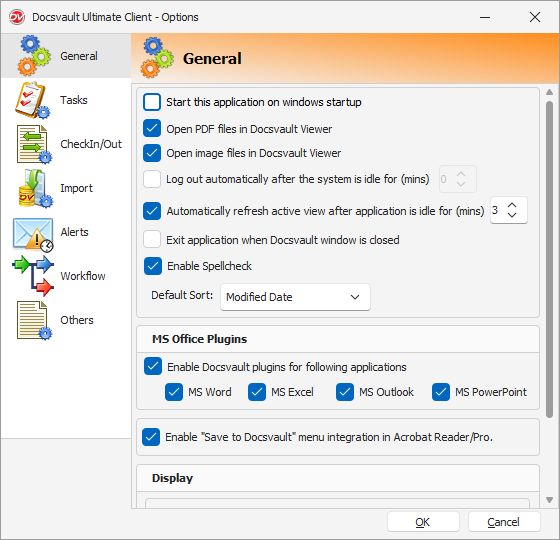 Setting General Options |
Whenever you start the Microsoft Office application for the first time after installing Docsvault, please allow the setup file to register the required Plugins if prompted.